

Add a remote MCP server
Add a remote MCP server to the Hub and turn it on for your Repos, so Claude in their Sessions can call its tools.
An MCP server is added once per Hub. An Installation turns it on for the Repos it lists, with its own key.
What you need
Section titled “What you need”- A remote MCP server that speaks Streamable HTTP at a URL the Hub can reach, such as
https://mcp.example.com/mcp. - If it needs a key, one it takes in an HTTP header. For a sign-in instead, see Connect an MCP server with OAuth.
- The Hub’s secrets key,
HUB_SECRETS_KEY, set up: see Use variables and secrets. - Access on GitHub to each Repo you turn it on for.
Add the MCP server
Section titled “Add the MCP server”-
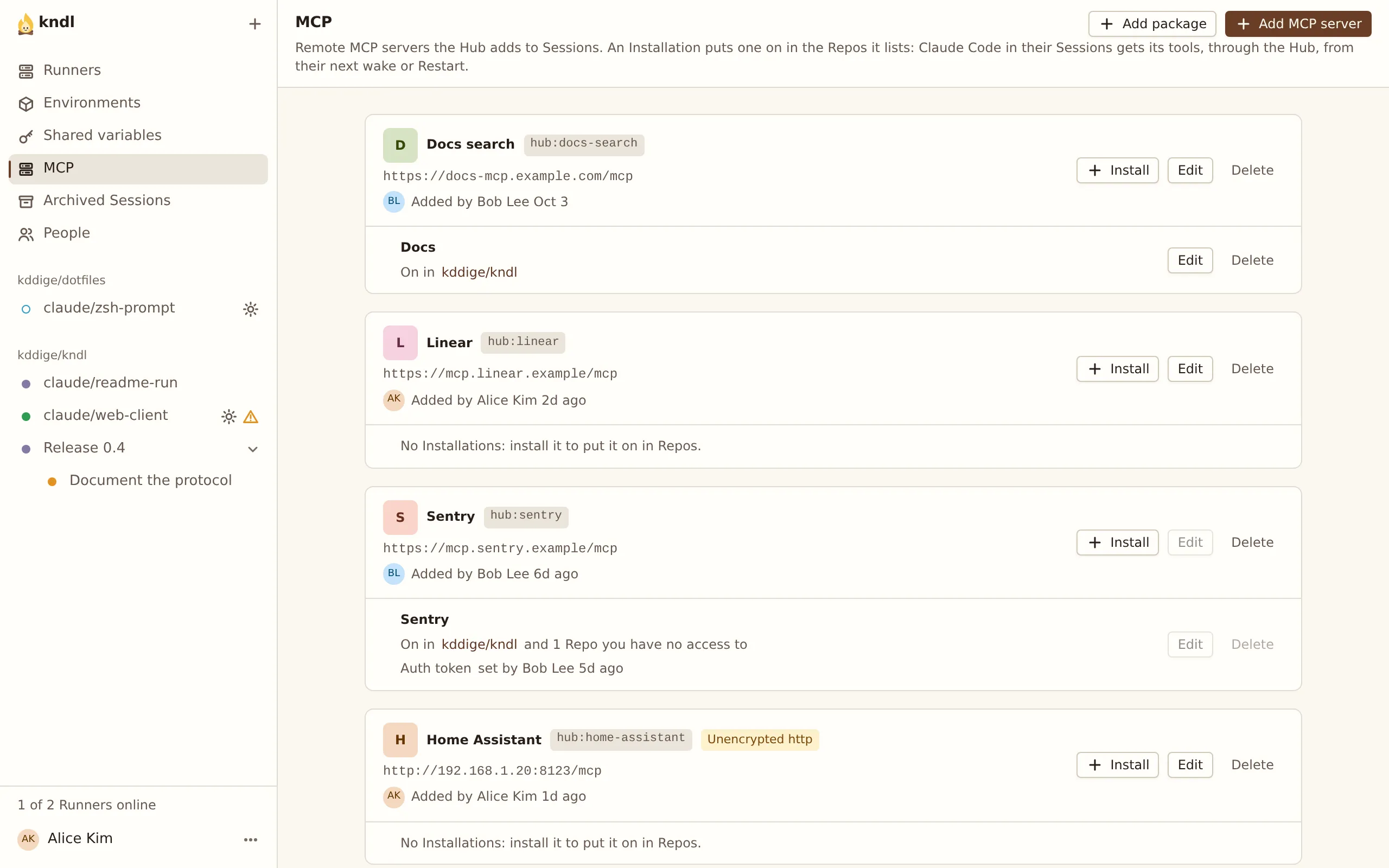
Press MCP in the sidebar, then Add MCP server.
-
Enter a Name, such as
Docs search, and the MCP server URL. -
If the server needs a key, press Add header secret under Header secrets, and fill in:
- Title: how the key’s field is labelled, such as
API key. - Header: the HTTP header to send it in, such as
Authorization. - Value template: the header’s value, with
{value}where the key goes, such asBearer {value}.
- Title: how the key’s field is labelled, such as
-
Press Add.
The MCP server is listed with an id such as hub:docs-search. Edit changes its name, URL or header secrets later.
Turn it on for Repos
Section titled “Turn it on for Repos”-
On the MCP server, press Install.
-
Enter the Repos, one
owner/nameper line. -
Enter the key in each header secret’s field.
-
Press Add.
A Repo has at most one Installation of each MCP server. To change which Repos one covers, press Edit on it.
Header secret values
Section titled “Header secret values”A value is write-only. The Hub encrypts it and adds it to each request, and it never reaches a Runner or Sandbox. To replace one, press Edit on the Installation.
Turn it on for every Repo
Section titled “Turn it on for every Repo”The Hub’s Owner can tick Global on an Installation, to turn it on for every Repo, including new ones. Only the Owner can change a global Installation, since every Session on the Hub can use its key.
Anyone with access to a Repo can turn a global Installation off for that Repo: open the Repo’s page and press Turn off for this Repo under MCP servers.
Use it in a Session
Section titled “Use it in a Session”-
Start a Session on the Repo, or wake one. Running Sessions show MCP servers changed: press Restart to pick up the server.
-
Ask Claude to use it:
Search the docs for "rate limits".
MCP servers in the Session’s header, such as 1 Installation, lists what the Session runs with. Claude Code knows each one as plugin:kndl:<name>, such as plugin:kndl:docs.
Connect it to an account with OAuth
Section titled “Connect it to an account with OAuth”For a server that signs people in, see Connect an MCP server with OAuth.
When an Installation fails a Session
Section titled “When an Installation fails a Session”When a Session starts or wakes, the Hub checks each Installation. If one is missing a key, or its server refuses it, the Session stays Asleep and shows This Session can’t start, with a Fix button for each Installation. See A Session can’t start for an Installation.
A server that is only down or slow doesn’t stop the Session.
Delete it
Section titled “Delete it”Delete each of the MCP server’s Installations first, with Delete on each. Then press Delete on the MCP server.
Next steps
Section titled “Next steps”kndl is an independent project. It is not affiliated with or endorsed by Anthropic. Claude and Claude Code are trademarks of Anthropic, PBC. About kndl