

Quickstart
Run a Hub and a Runner on one machine, start a Session on one of your Repos, and remove it all when you’re done. It takes about 10 minutes, most of it waiting for the first Sandbox to build.
What you need
Section titled “What you need”- A Mac with Apple Silicon, or Linux with KVM. Each Session runs in a microsandbox microVM, which needs one of the two.
- git and curl. The installer adds Bun if it’s missing.
- A Claude subscription, and Claude Code on any machine, to make a setup token with
claude setup-token. You add it in step 4. - A GitHub repository this machine can clone. Any public repository works.
Install and set up
Section titled “Install and set up”-
Install kndl:
Terminal window curl -fsSL https://raw.githubusercontent.com/kddige/kndl/main/install.sh | shIt clones kndl into
~/.kndl, puts thekndlcommand in~/.local/bin, and prints what to run next. -
Start onboard:
Terminal window kndl onboardIf your shell says
kndl: command not found, open a new terminal, or run~/.local/bin/kndl onboard. Then answer its questions:Question Answer What does this machine run? Both: a Hub, and a Runner for it, on this machine Who reaches this Hub? Only this machine (127.0.0.1) Sign in without GitHub (dev login, this machine only), until the GitHub App is set up? Yes GitHub sign-in, and Repos’ tokens, need a GitHub App. Set it up now? Not now Run these now? (only if something is missing) Yes. It lists the commands first; some use sudo.Keep the services running while you’re logged out…? (Linux only) Your choice. No is fine for a try. Onboard writes the settings, installs the Hub and the Runner as services, and checks that the Runner connects. You should see it end with
Done.To skip the questions, pass the answers as flags instead:
kndl onboard --role both --reach local --dev-login --github-app skip. -
Open http://127.0.0.1:7777. Under Dev login, type a name, such as
alice, and press Sign in as dev.
Start a Session
Section titled “Start a Session”-
Press New Session. In Repo, enter your repository as
owner/name. Leave Branch on its default branch and Runner on Any online Runner, then press Start Session.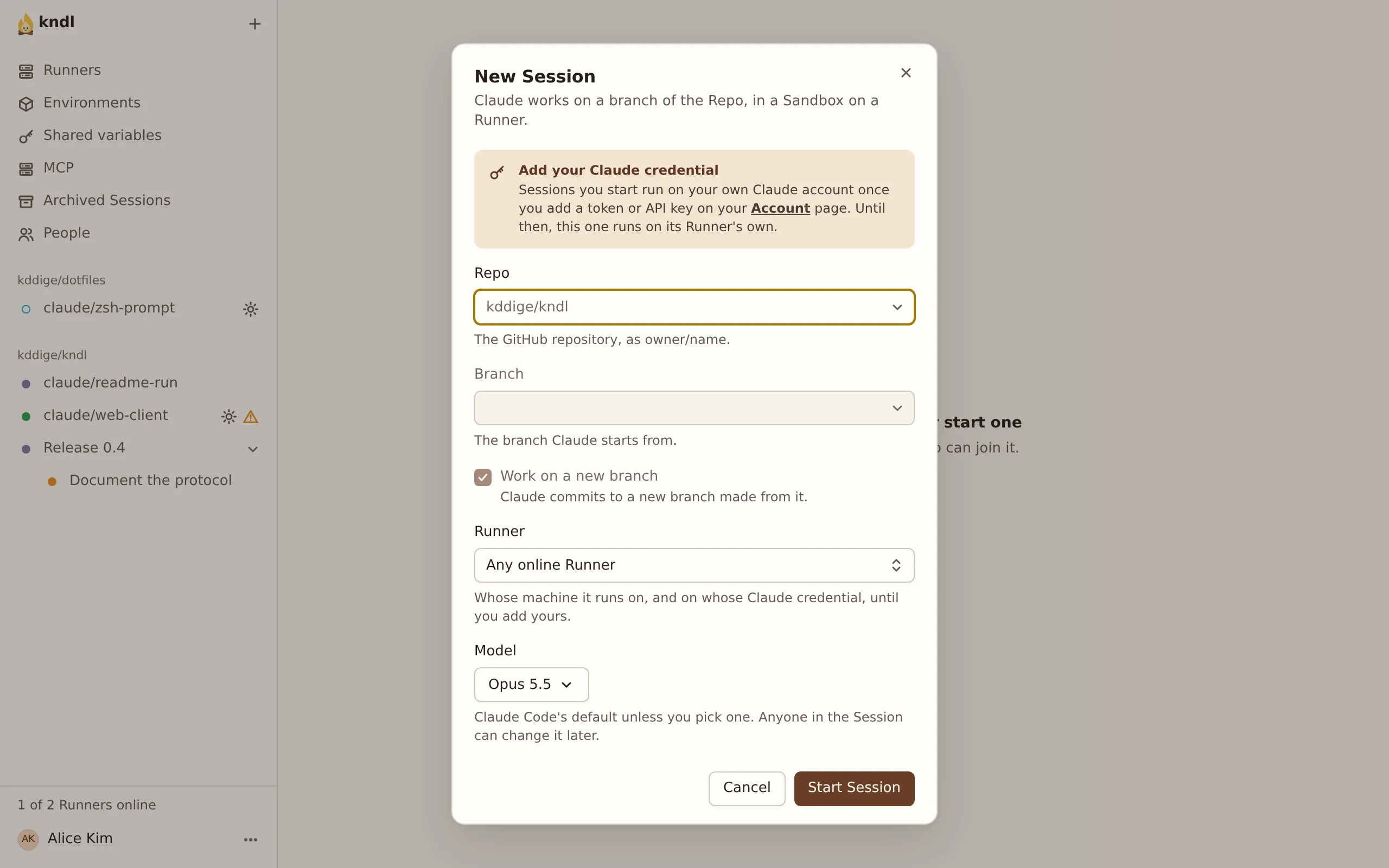
-
A Repo’s first Session needs an Environment: what its Sandboxes are built from. kndl opens the Repo’s Environment page with a draft. Leave the defaults.
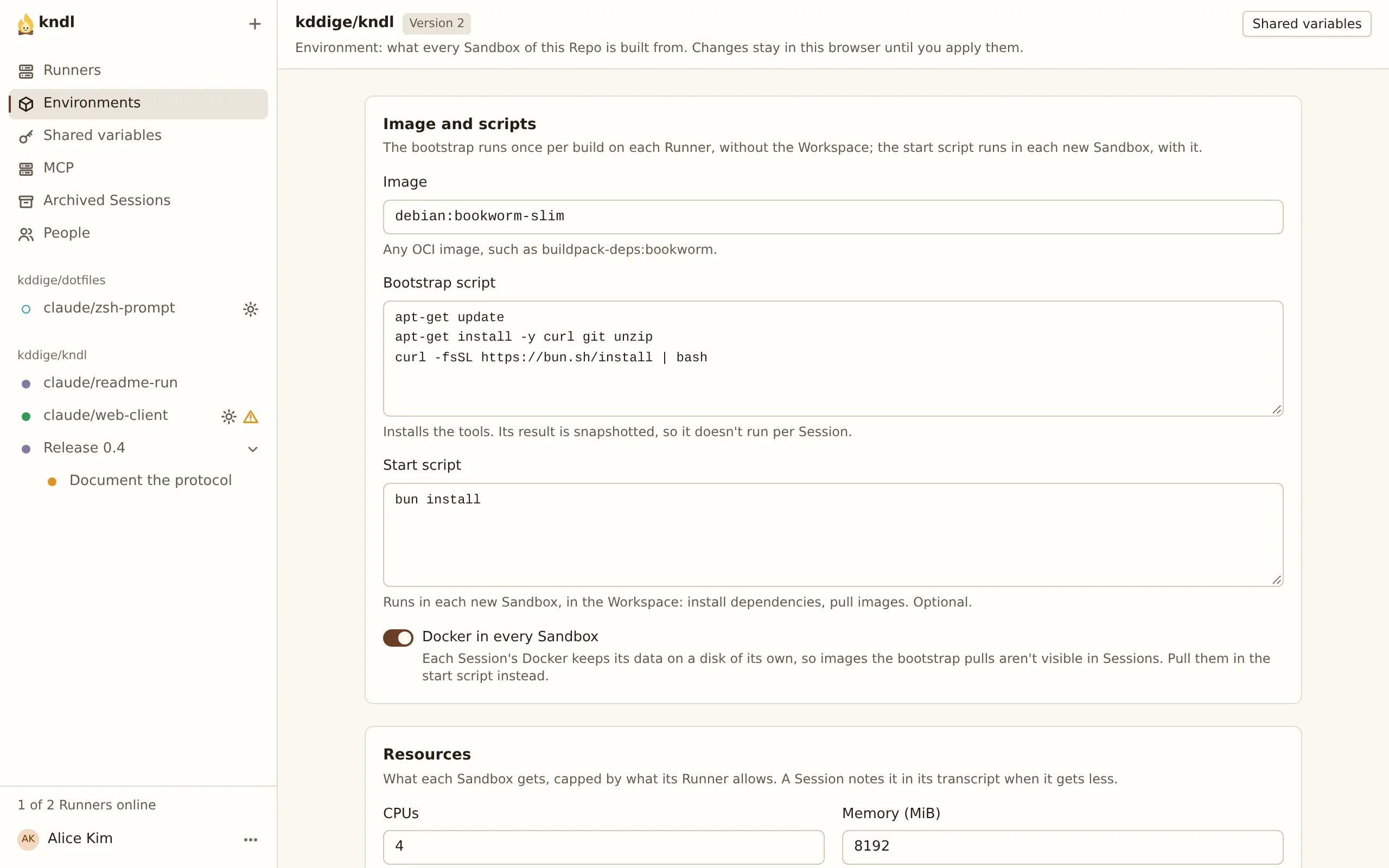
-
Under Apply, pick your Runner in Runner to build on and press Test build. The log streams in below. The first build pulls the image, so it takes a few minutes.
-
When the build passes, press Apply and start Session.
The first time, the dialog asks you to add your Claude credential. Follow Add your Claude credential, then start the Session again.
Work in it
Section titled “Work in it”-
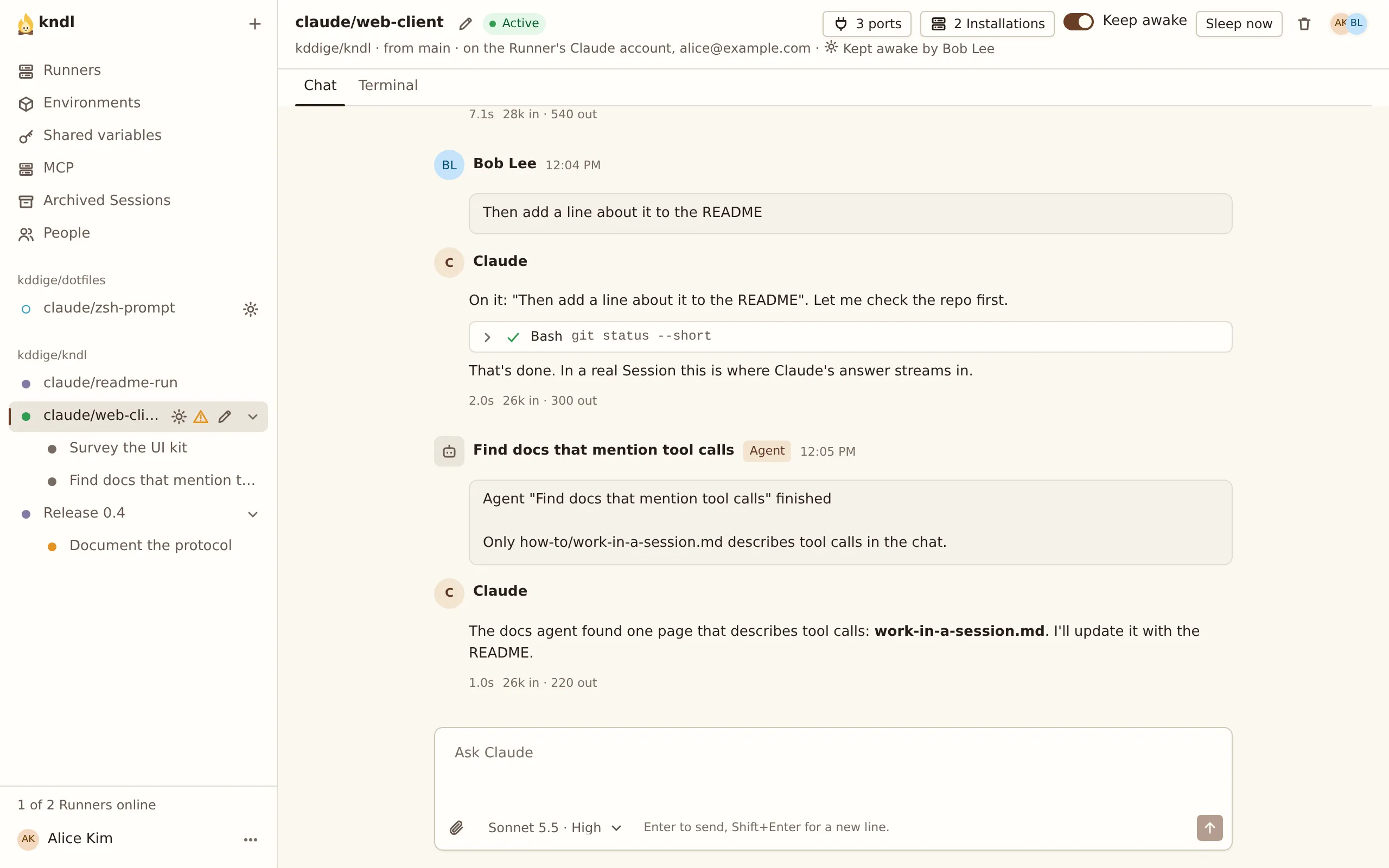
The Session opens with a Starting… banner while the Runner clones the Repo and boots the Sandbox. Then send a prompt:
List the files in this repository and tell me what it does.Claude’s reply streams in, with each tool call it makes.
-
Open the Terminal tab. It shows Claude Code’s own screen, live, and you can type into it. Only you, the Session’s Creator, see it.
-
Open http://127.0.0.1:7777 in a private window and sign in as someone else, such as
sam. Open the same Session. Both windows show it live, butsamwatches: onlyalice, who started it, can prompt it.
Remove it
Section titled “Remove it”-
In each Session, press Delete Session, the bin at the top right, so its Sandbox stops.
-
Remove kndl, its services and everything it stored:
Terminal window kndl uninstall --purgeIt lists what it removes and asks first. Without
--purge, it keeps the data in~/.kndl: the Hub’s database and the Runner’s Sessions.
Next steps
Section titled “Next steps”kndl is an independent project. It is not affiliated with or endorsed by Anthropic. Claude and Claude Code are trademarks of Anthropic, PBC. About kndl