

Update kndl
Move the Hub to a newer kndl, and its Runners with it.
What you get
Section titled “What you get”kndl ships as Releases: dated tags on main, such as v2026.10.1, each with notes on what changed. An install follows a Channel:
| Channel | Follows | For |
|---|---|---|
stable | The latest Release | Most Hubs. A fresh install’s default. |
dev | The head of main | Trying changes before they ship. |
kndl status shows what an install runs and follows, such as 824de4a1f0c3, on stable at v2026.10.1. The web UI shows the same version on the Runners page.
Update the Hub
Section titled “Update the Hub”-
Read the notes of the Releases since yours.
-
On the Hub’s machine, update:
Terminal window kndl updateIt fetches, moves the install along its Channel, rebuilds, restarts the services and runs
kndl doctor. -
Check that it’s up:
Terminal window kndl status
Running the installer again does the same update.
Switch Channels
Section titled “Switch Channels”kndl update --channel stable # follow the latest Releasekndl update --channel dev # follow mainThe Channel sticks: later updates follow it. stable never moves an install back to an older commit. An install on a commit newer than the latest Release stays there until a Release includes it, and says so.
An install with no Channel set follows the branch it’s on, usually main.
To pin an install to a tag or commit, or follow another branch, pass --ref:
kndl update --ref v2026.10.1A pinned install stays put on kndl update, until you pass --channel or another --ref.
Keep Runners on the Hub’s commit
Section titled “Keep Runners on the Hub’s commit”A Hub and its Runners run the same commit (ADR 0011). After kndl update on the Hub’s machine, the Hub asks each Runner to move to its commit.
Each Runner lets its running Turns end, for up to ten minutes, and puts its Sessions to sleep. Then it updates and restarts. The next prompt wakes each Session on the new version.
--nowstops running Turns at once instead.--no-update-runnersleaves Runners on other machines where they are. The Runner on the Hub’s machine still follows.
A Runner on an older commit is marked behind the Hub on the Runners page. Its running Sessions carry on, but no Session starts or wakes on it. Press Update on its row to move it; Update now stops its Turns at once.
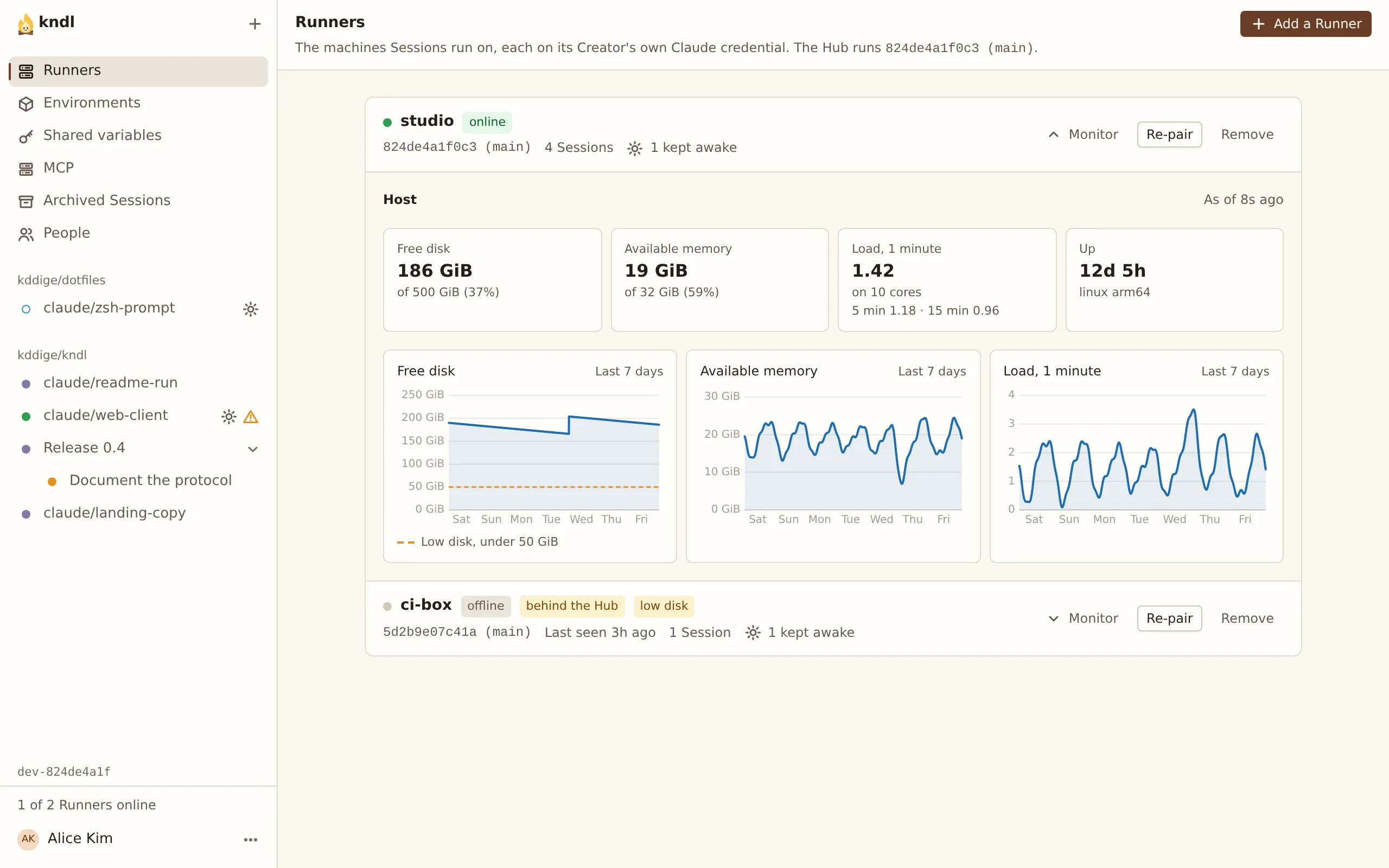
Only a Runner installed as kndl’s service updates itself. For any other, its row says why it can’t, and you run kndl update on its machine.
A Runner only moves to a commit on main. Otherwise its row says refuses: not on main. A Runner that fails to update goes back to the commit it ran, and its row shows update failed with the error. See Troubleshooting for both.
Next steps
Section titled “Next steps”kndl is an independent project. It is not affiliated with or endorsed by Anthropic. Claude and Claude Code are trademarks of Anthropic, PBC. About kndl