

Use variables and secrets
Give a Repo’s Sessions settings and secrets as environment variables, and share a value across Repos.
A Variable reaches the Start script and every tool Claude runs in the Repo’s Sandboxes. With At build, it reaches the Bootstrap script too.
What you need
Section titled “What you need”- To store Sensitive values, the Hub needs a secrets key. Whoever runs the Hub makes one with
kndl secrets keyand sets it asHUB_SECRETS_KEYin~/.kndl/hub.env. Without it, the Hub refuses to save a Sensitive value.
Add a variable
Section titled “Add a variable”-
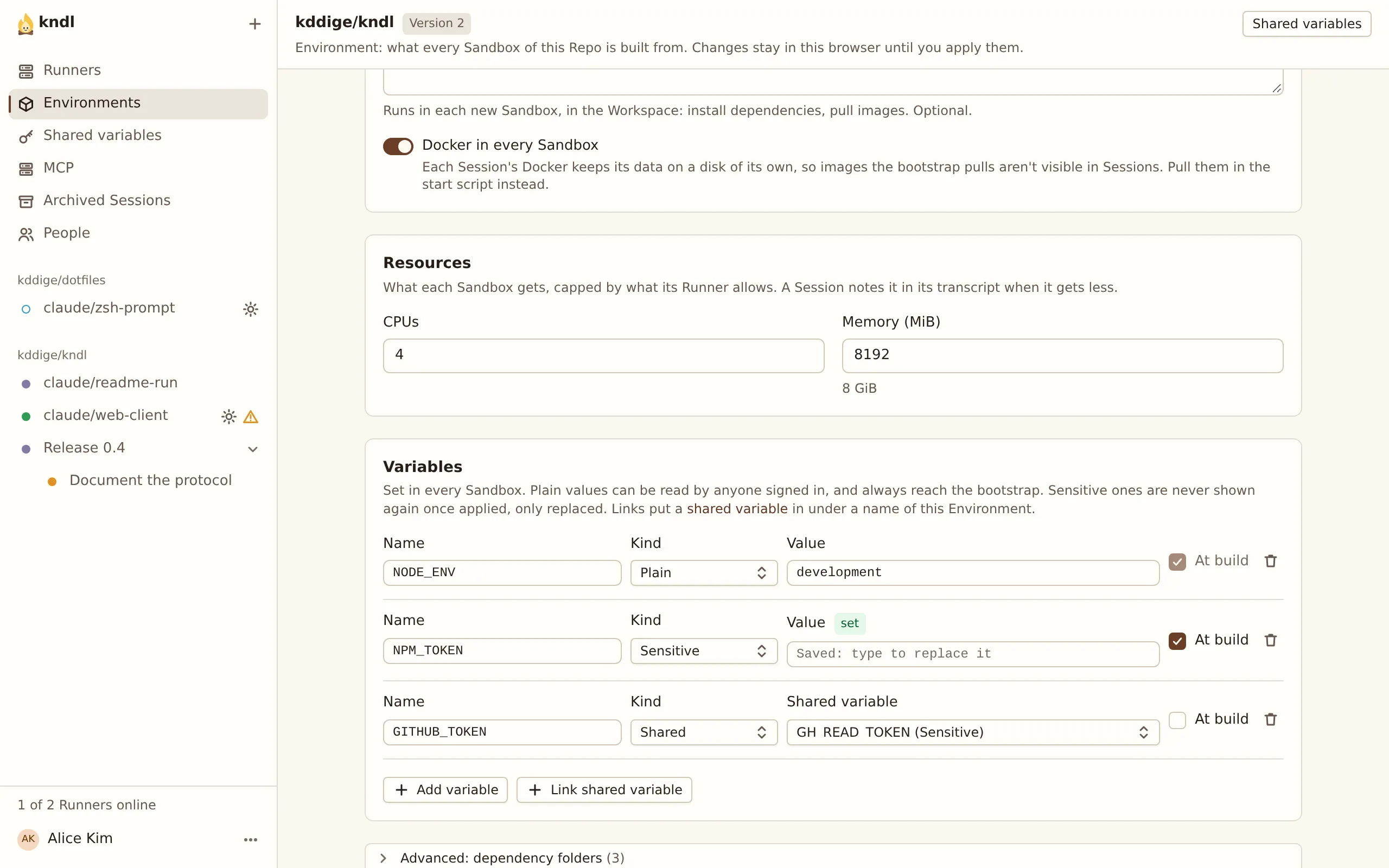
Open the Repo’s Environment, and under Variables, press Add variable.
-
Give it a Name, such as
NPM_TOKEN: letters, digits and underscores, not starting with a digit. -
Pick its Kind:
- Plain for settings, such as
NODE_ENV. Anyone signed in can read it. - Sensitive for tokens and keys. Nobody can read it back once it’s applied, only replace it, and its value is masked in Session output.
- Plain for settings, such as
-
Tick At build if the Bootstrap script needs it, such as a token for a private package registry.
-
Apply the Environment. A change to a variable available at build needs a Test build first.
Share a value across Repos
Section titled “Share a value across Repos”To use one value, such as an NPM_TOKEN, in many Repos, make it a shared variable:
-
Press Shared variables in the sidebar, and add the variable once.
-
In each Repo’s Environment, press Link shared variable, pick it, and give it the name that Environment should see.
Changing a shared value changes it in every Environment that links it. It can’t be deleted while any Environment links it.
What masking covers
Section titled “What masking covers”The Hub masks each Sensitive value as * in prompts, Claude’s replies, tool calls, the terminal and Test build logs. It can’t catch a value that a tool changed before printing, such as base64-encoded. A value a script writes to disk, such as in an .npmrc, stays on that disk.
See Security model for how values are stored and passed to Runners.
If the key is lost
Section titled “If the key is lost”The values the key encrypted are lost with it. Whoever runs the Hub resets them with kndl secrets reset, sets a new key, and starts the Hub again: see The secrets key is lost.
Afterwards, each cleared variable keeps its name and settings, and shows needs a value. Type each value again on the Repo’s Environment, or press Enter value on Shared variables. Until then, the Repo’s Sessions don’t start.
Next steps
Section titled “Next steps”kndl is an independent project. It is not affiliated with or endorsed by Anthropic. Claude and Claude Code are trademarks of Anthropic, PBC. About kndl